Start here
Welcome to HowYouSound
HowYouSound keeps what you say, record and write in one place, and lets you ask questions about all of it.
Try it in a minute
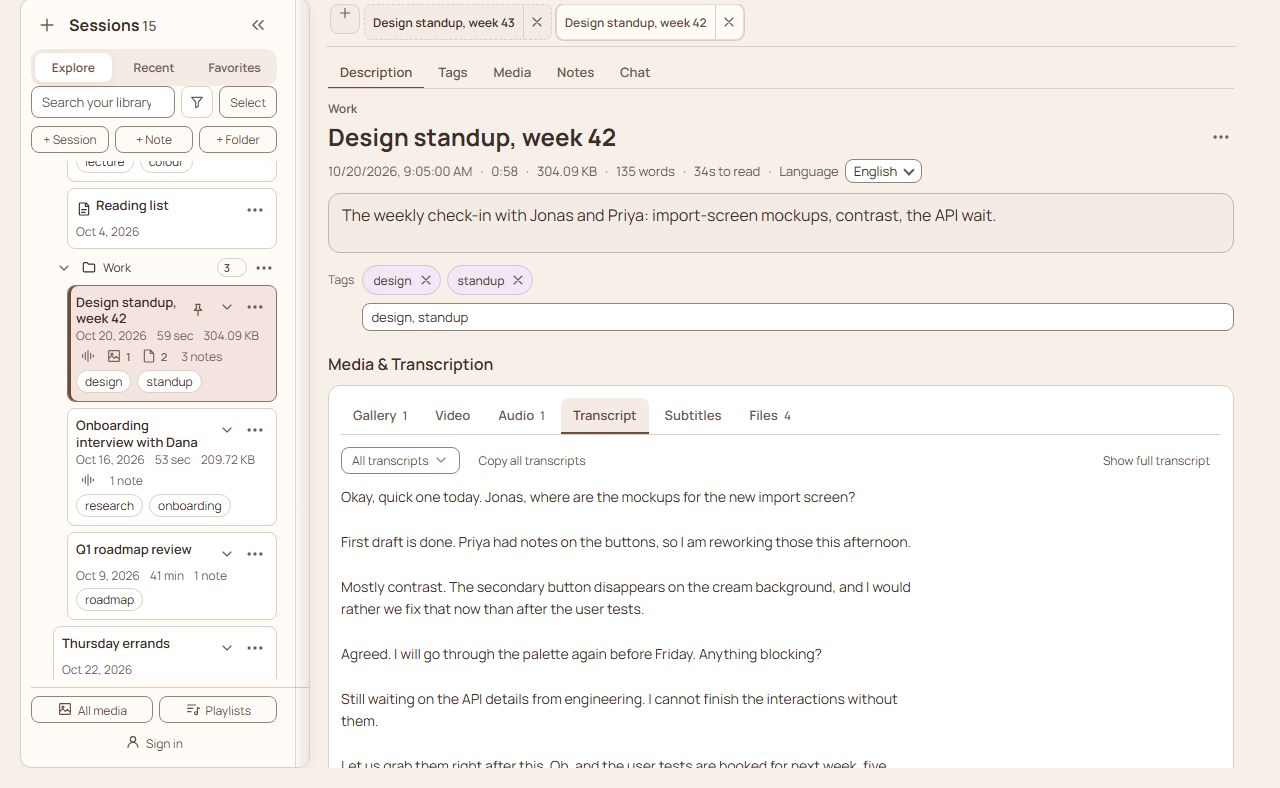
- Press + Session in the sidebar and give it a title. Choose Audio, record a few seconds of talking, or use Upload audio for a file you already have.
- Press Save session. Open the Transcript tab to read what was said. Turning speech into text needs AI: your own key under Settings › AI, or a plan. If you have neither, the app says what to add, and everything else still works.
- In the chat at the bottom of the session, ask one question about it, such as "What were the main points?".
That is the whole loop: keep something, read it back as text, ask about it. Notes, folders and search build on it.
How things are organized
| Piece | What it is |
|---|---|
| Library | Everything you have saved |
| Folder | A place to group sessions and notes. Folders can hold folders |
| Session | A recording or a topic: its audio and video, transcript, photos, files, notes, chats and tags. A meeting, an interview, a class, a journal entry, a brainstorm or a plan is each one session |
| Note | Written text with its own files. Notes live inside a session, or on their own in a folder |
| Chat | A conversation about a session, with the AI, kept with the session |
Where to go next
- Sessions, recordings and files: make a session, record or upload, get a transcript.
- Notes: everything you can write: every kind of formatting, with an example of each.
- Files in notes: pictures, audio, video and documents inside a note.
- Organize and find: folders, pinning, search, the gallery, find and replace.
- AI: session chat and the assistant: ask questions, let the AI draft notes for you to approve.
- Where your library lives: device, folder or cloud, backups, privacy.
- Settings, phones and shortcuts: every setting, the phone layout, every key.